OPEN ACCESS TRIAL OF GAMMAEARTH SUPER-RESOLUTION

Turn Sentinel-2 into 1 m imagery — free, in your browser

Run S2DR3 on real Sentinel-2 scenes in Google Colab. Nothing to install. Your first 20 scenes are on us; add credits when you need more.

How it works

  1. 1

    Create an account and get your unique API key.

  2. 2

    Open the notebook in Google Colab (runs in your browser).

  3. 3

    Add your API key to Colab Secrets.

  4. 4

    Enter an area of interest and a date.

  5. 5

    Run the cells — get 1 m super-resolved output back.

Setup instructions

Connect your Gamma Earth account to Google Colab

Complete this once, then continue using Gamma Earth through Google Colab as before.

1. Account and key

Create your Gamma Earth account

Go to app.gamma.earth/register?invite=google-colab and register using your preferred sign-in method.

Copy your API key

After creating your account, open the API Access & Keys page and copy your API key.

Keep your API key private — do not share it with anyone.
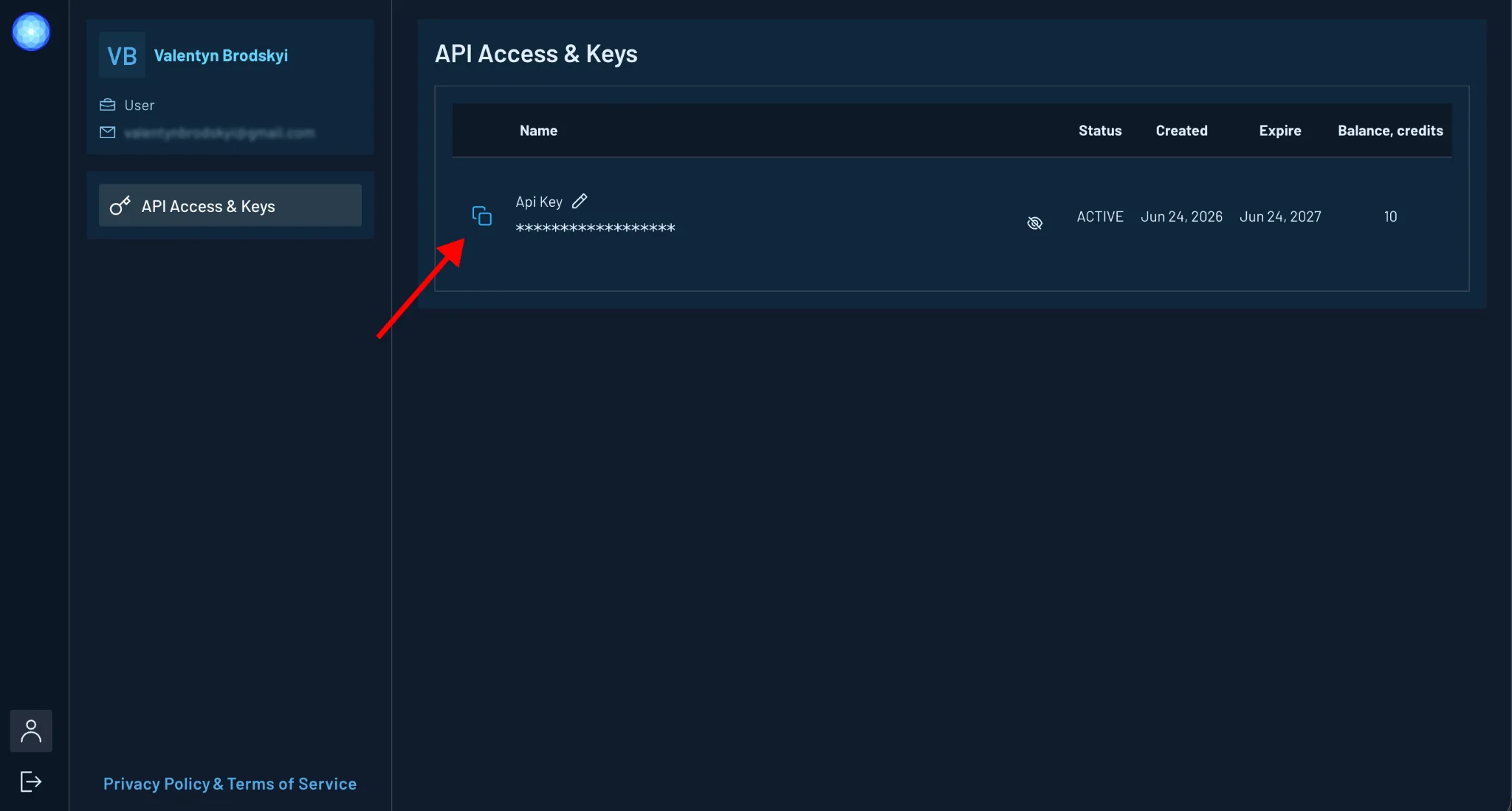
API Access and Keys page in the Gamma Earth dashboard, with the copy icon next to the API key highlighted
API Access and Keys page with the copy icon highlighted.
2. Colab secret

Add the API key to Google Colab

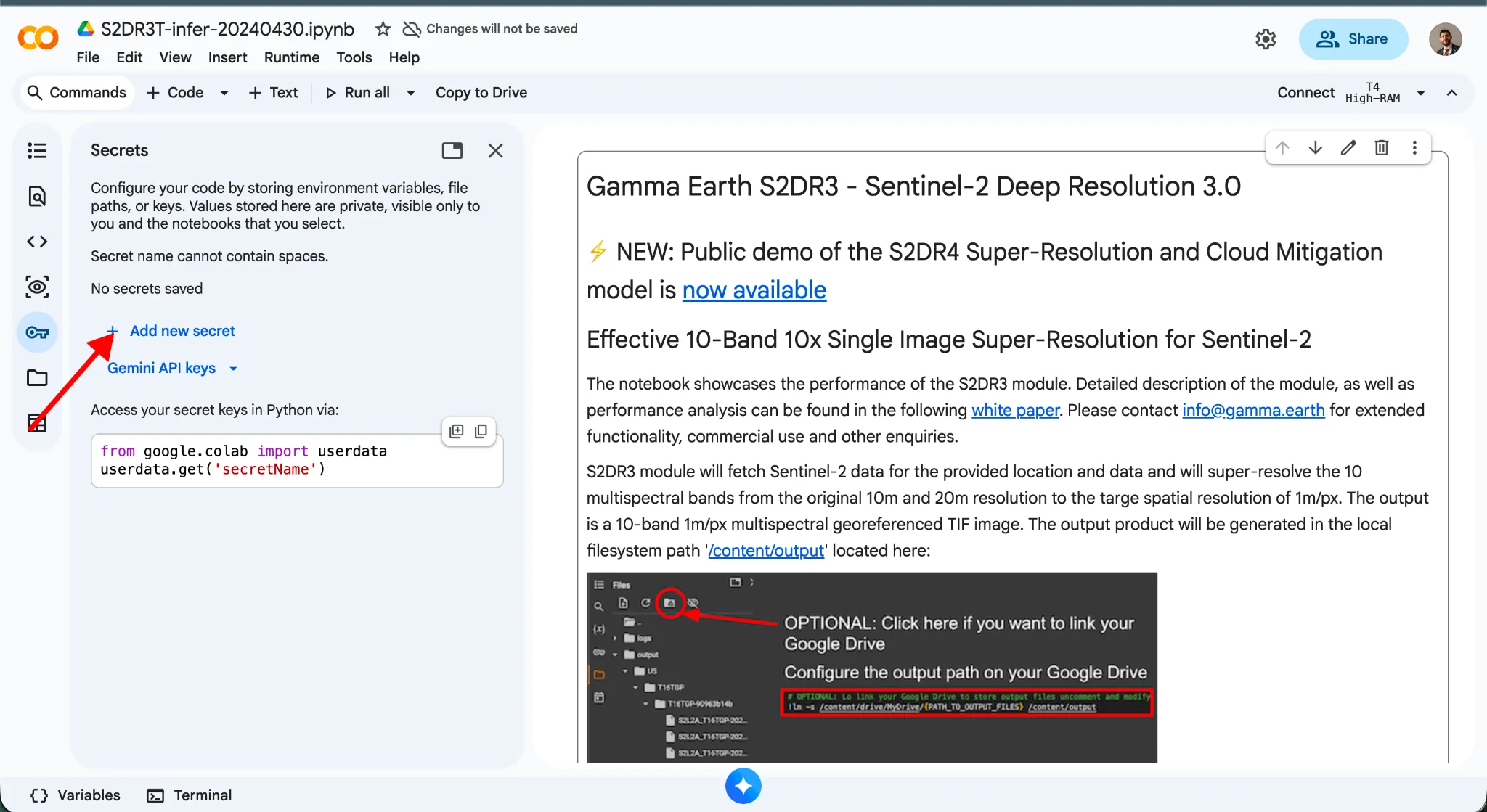
Open your Gamma Earth notebook in Google Colab and go to the Secrets panel. Create a new secret named:

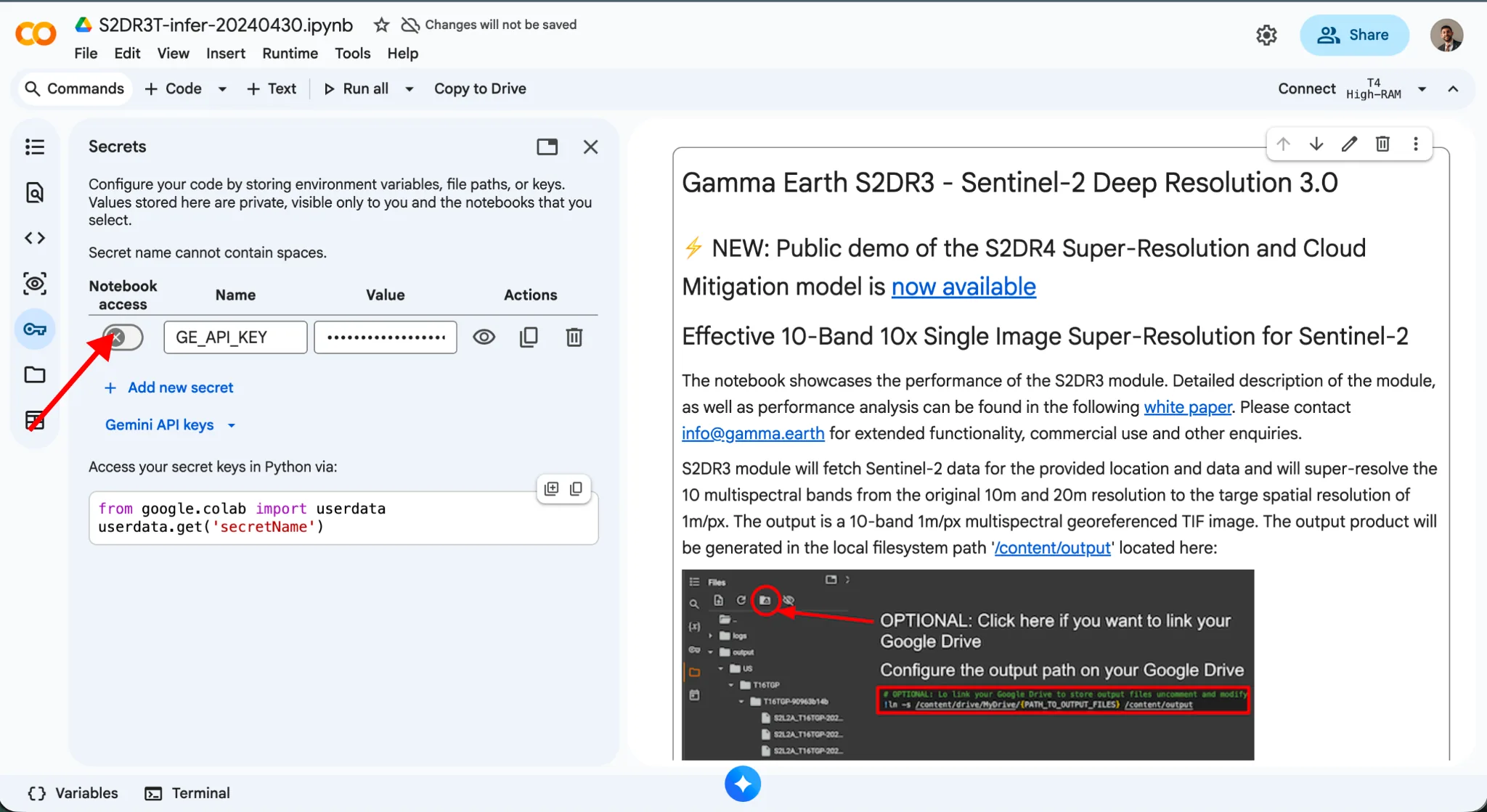
GE_API_KEY

Google Colab Secrets panel with the Add new secret option highlighted
Google Colab Secrets panel with Add new secret highlighted.
3. Enable access

Paste your key and allow notebook access

Paste your Gamma Earth API key into the Value field, then enable notebook access for the secret.

Once this is done, you can run the cells — get 1 m super-resolved output back!

Google Colab Secrets panel showing the GE_API_KEY secret with notebook access enabled
GE_API_KEY saved with notebook access enabled.

Need higher volume or automation?

Talk to Gamma Earth about production access, higher throughput, or API workflows.

See Pricing